Billing and the monthly ledger
Review transfers and reconcile collections.
Review a payment
Open Billing & payments → Review. Check amount, reference, and screenshot against your actual collection account. Select Approve payment after verification. Reject proof requires a clear reviewer note. Customers see the status and note.
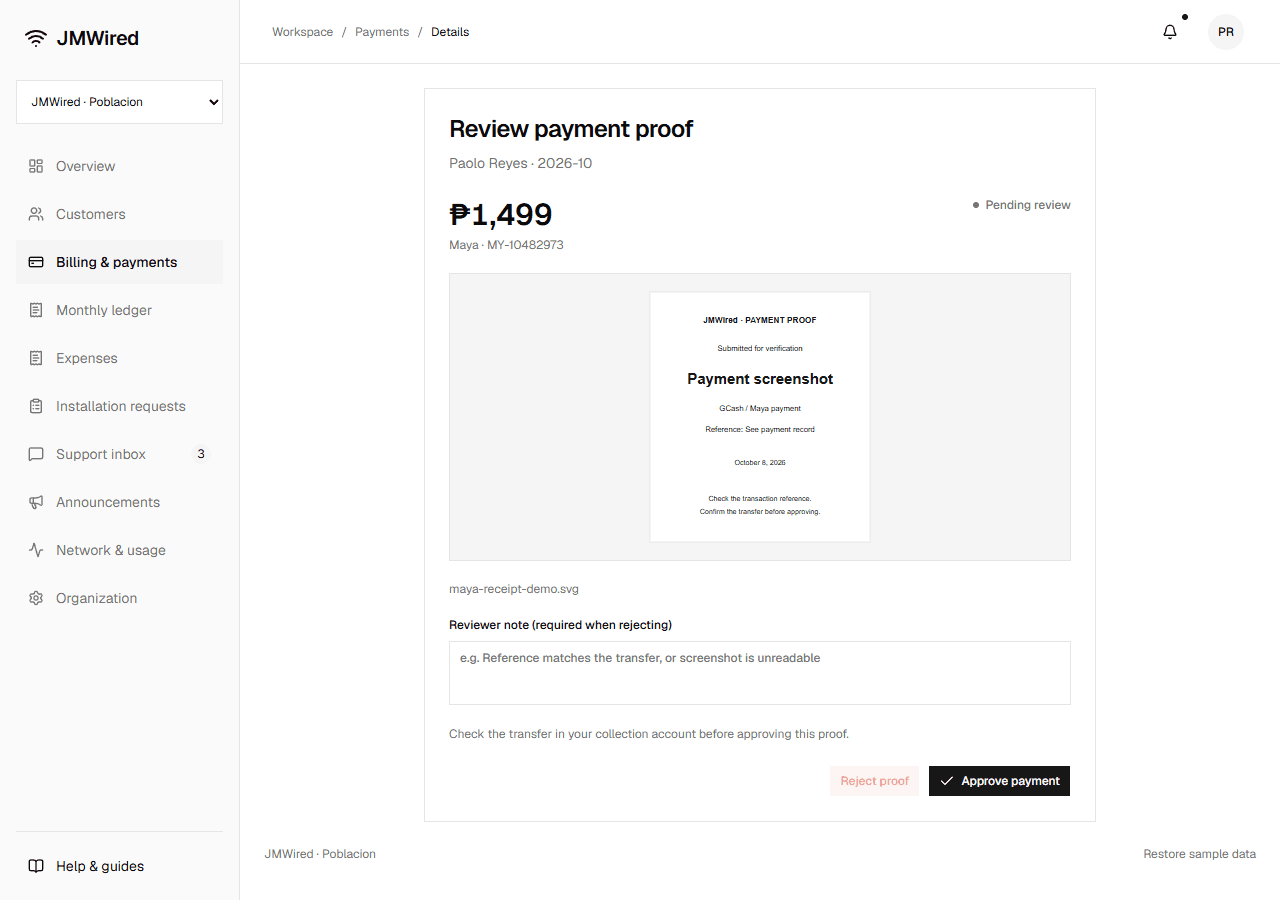
A sample proof is shown here. Approval follows your check of the actual transfer.
Filter history by subscriber or reference, status, and period.
Monthly ledger
Choose Monthly ledger and a month. Totals show Total clients, Total paid, Collections, Expenses, and Net profit. Profit is approved collections minus expenses.
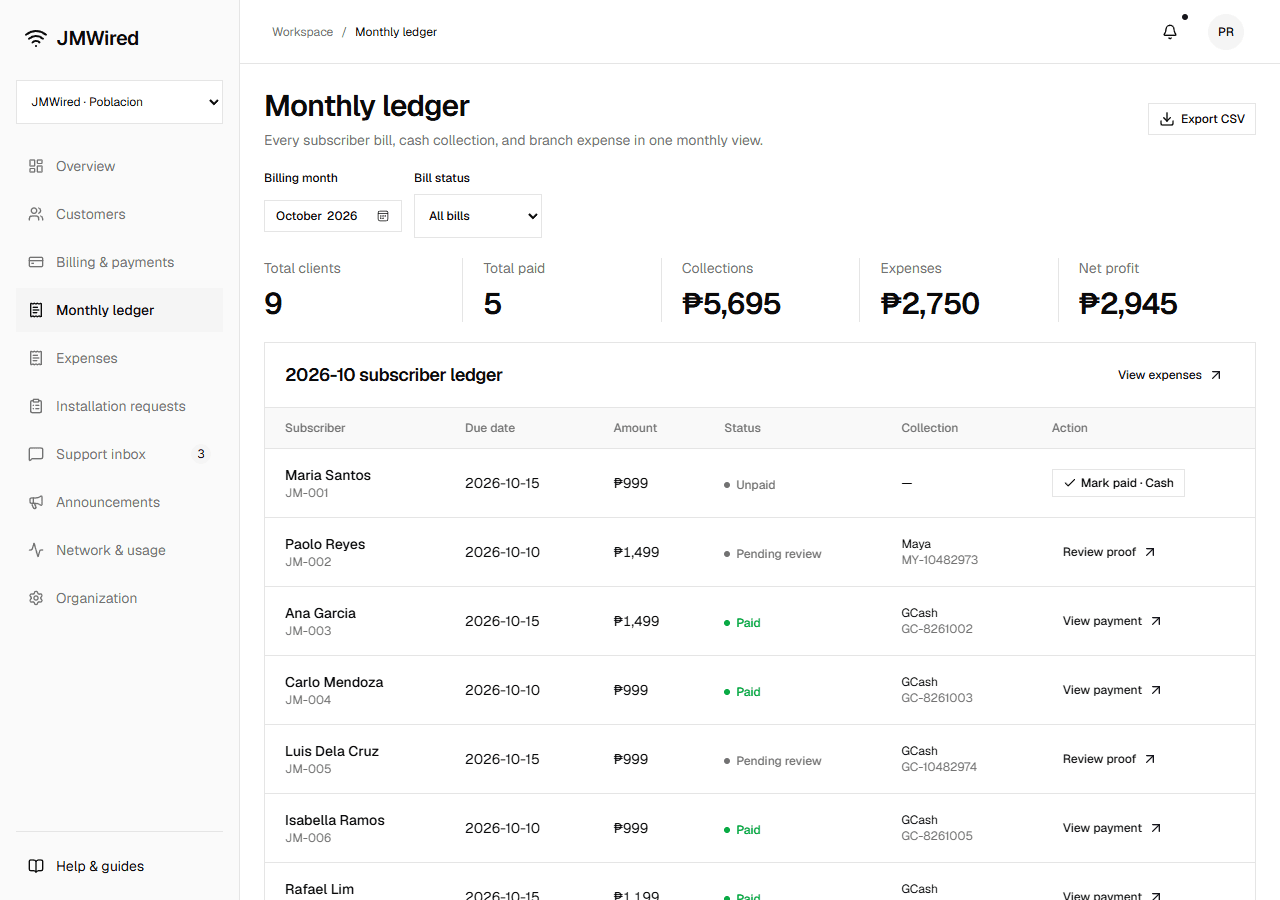
Each subscriber row shows due date, amount, status, collection method, and reference. Use Mark paid · Cash, Review proof, or View payment as appropriate.
Export CSV downloads the filtered rows. A billing day beyond a month's length becomes that month's last day. Preview historical figures use saved records; live bills will preserve monthly snapshots.
Configure Collection QR settings before using digital payment instructions.