Pay your internet bill
Use your provider’s QR and attach payment proof.
Submit proof
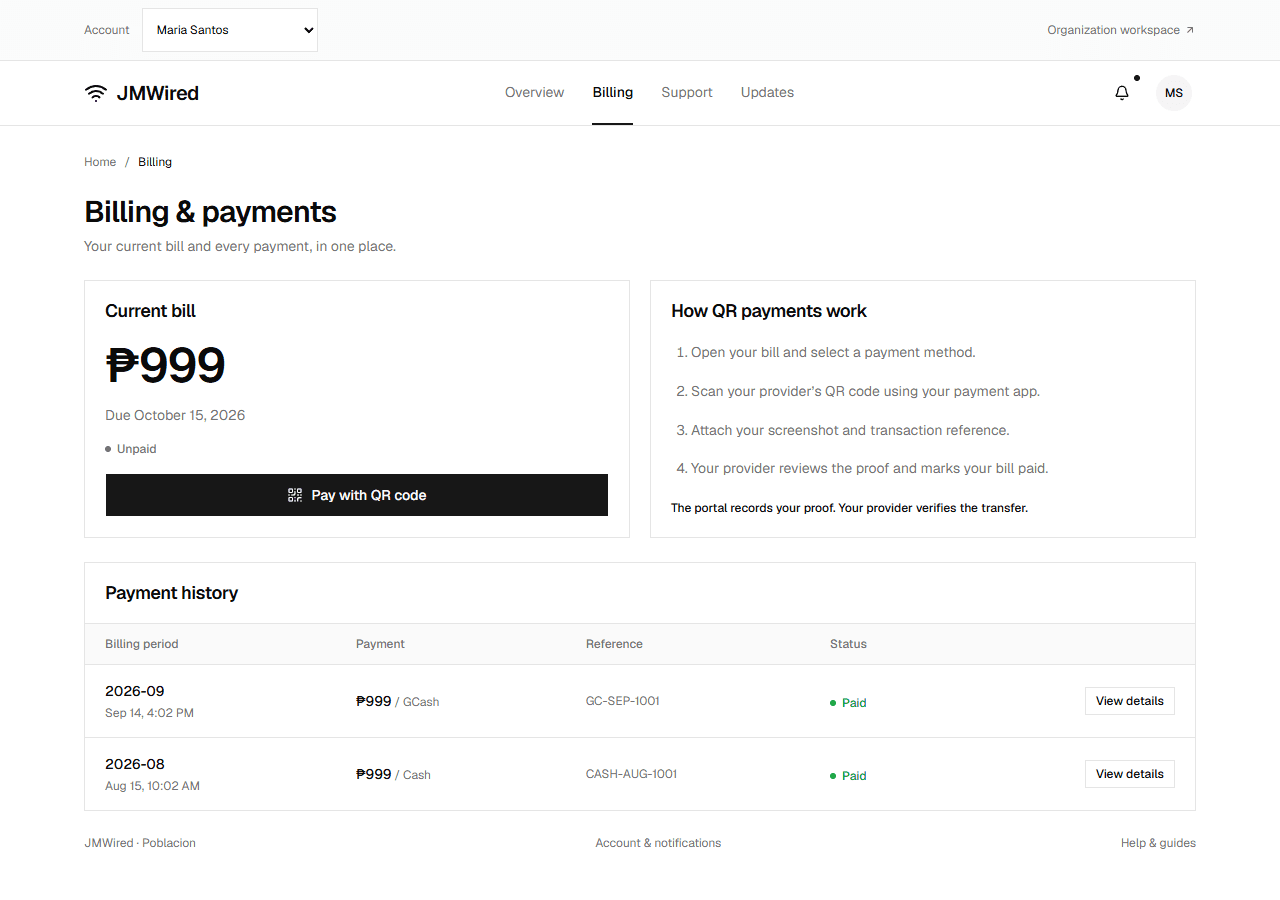
Check the Current bill amount, due date, and status first. A paid bill shows a zero balance and View payment details. A pending proof shows View submitted proof instead of another payment button.
- Open Billing, check the balance and due date, and select Pay with QR code.
- Choose GCash, Maya, or Bank.
- Check the collection account, QR image, and instructions. If details are awaiting setup, ask your provider for a verified destination.
- Complete payment in your payment app and save its screenshot.
- Enter the transaction reference and attach the screenshot (PNG, JPEG, or WebP, up to 1 MB).
- Select Submit payment proof.
The bill becomes Pending review. Do not pay again while staff check the transfer.
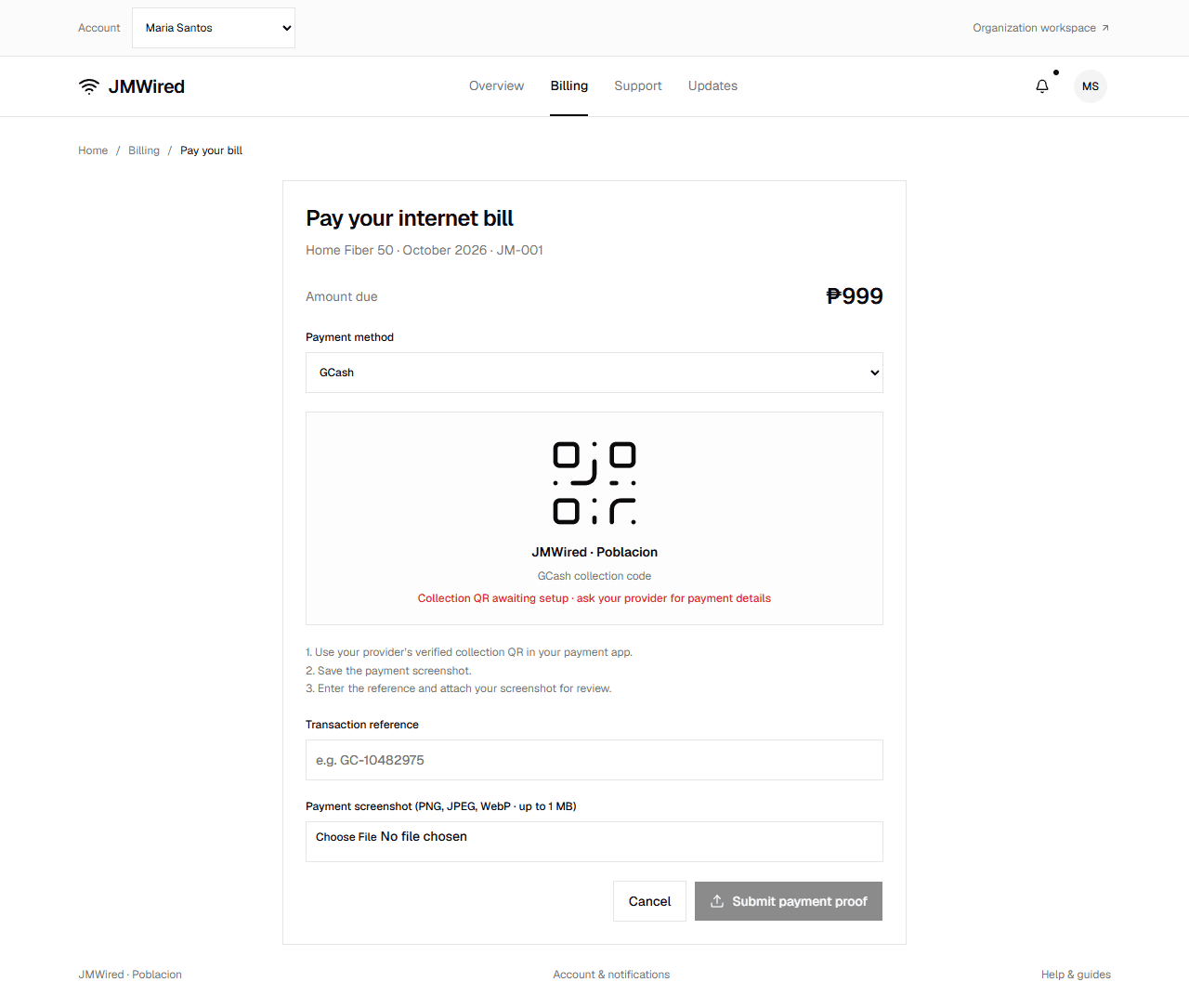
The attachment preview and transaction reference are checked before submission. This example branch has not configured its collection QR yet.
In the current preview, use sample images and references. No payment app is connected, and the portal does not make a transfer.
Correct a rejected proof
Open the rejected payment's View details and read the reviewer note. Return to Billing, choose Pay with QR code, and submit a corrected screenshot and reference. The earlier rejected submission remains in your history.
If you already sent money but cannot identify the problem, contact your provider through Support before making another transfer.
Payment history
Open Payment history → View details to inspect the billing period, amount, method, reference, screenshot, and reviewer note.
Payment history appears on the Billing page. The detail view also shows the reviewer when an approved payment has one recorded.
| Status | What it means |
|---|---|
| Pending review | Staff are checking the transfer |
| Paid | Staff approved proof or recorded cash |
| Rejected | Read the note, correct the proof, and resubmit |
For cash, pay an authorized cashier. Staff record the collection and it appears in your history. JMWired records payments; it does not transfer money.
If the current bill shows Pending installation, wait for your provider to activate the connection before billing is available. For upload errors or missing QR instructions, see Common questions.