Account and notification settings
Check connection details and manage preferences.
Select your avatar to see your name, account number, email, service address, organization, and connection status. Ask your provider to correct connection details.
Notifications
- Select your avatar and find Notification preferences.
- Enable or disable Billing reminders and Maintenance and outage alerts.
- Select View billing reminder or View maintenance alert to inspect the corresponding message.
Preferences save as you change them; there is no separate Save button. You can also use Overview → Manage notifications to open these controls.
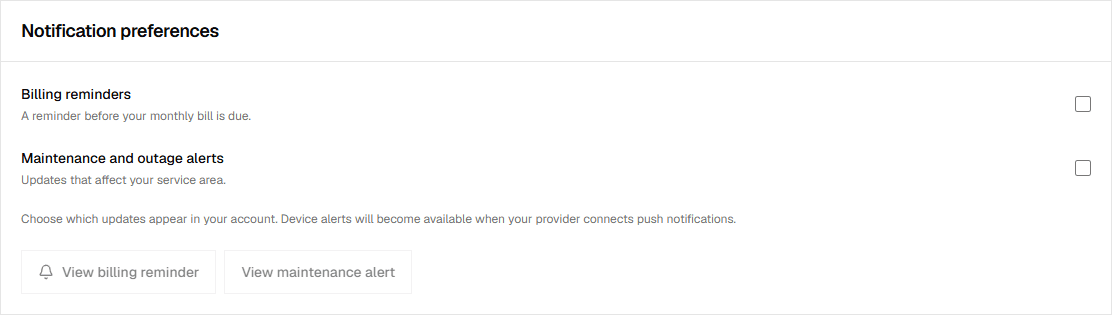
The preview shows messages inside the portal. Background phone push alerts are awaiting connection. Service updates explains the bell and notices.
Password and devices
The page also includes password and session screens. Use a current placeholder and matching new placeholder passwords. Leave Sign out other devices checked to remove the other sample device.
Use Sign out device for other devices, or Sign out of this device to return to sign-in. Actual password verification and session revocation are awaiting connection.
For a wrong email, address, plan, or account status, send a request to your provider. These subscription details are not editable from the customer account page.